Run remote exams with exam‑hall integrity
Hold semester exams, entrance tests, coding contests and certification assessments online, with ID checked before the exam and CheqMate AI watching throughout.
Arjun Nair
B.Tech semester 5, Data Structures exam · question 27 of 40 · 01:21:36
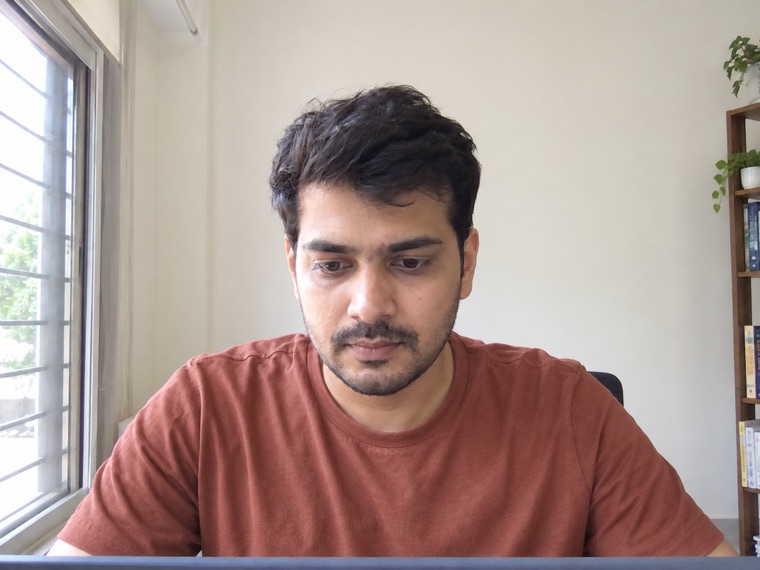 Face detected
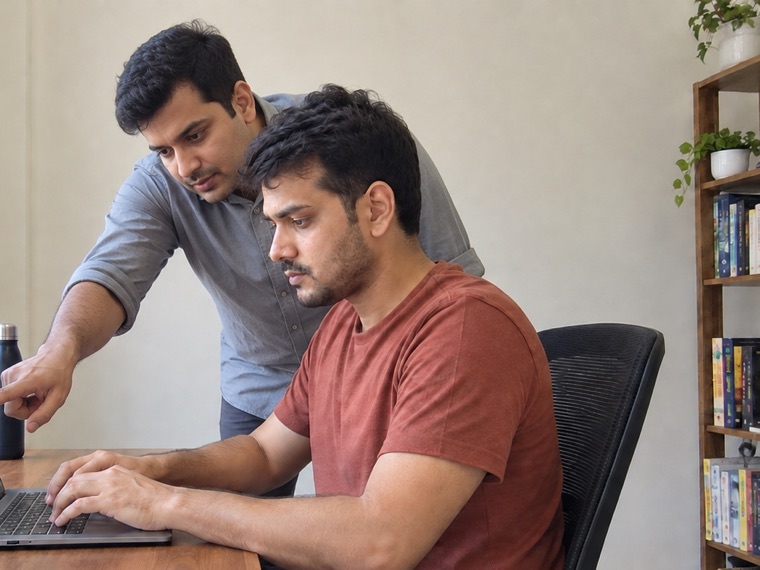 2 people
Session timeline · select a flag
01:21:36 / 02:00:00Someone came to the desk and pointed at the screen. Only the phone camera could see them, so the invigilator reviews this answer.
One exam session: the screen, the room and every flag, with the evidence behind it · sample data
What an online paper can look like
One example. You choose the sections, the question types, the length and how closely it is watched.
- Draft it from a job description, or build it by hand
- Review every question before a candidate sees it
- Reuse questions from your own bank
Certified Data Analyst — certification exam
Professional certification, remote sitting
- Duration
- 120min
- Sections
- 5
- Questions
- 47
- 01×30
Statistics and data concepts
Multiple choice - 02×10
Identify all valid interpretations
Pick all that apply - 03×4
Query a sales database
SQLLive MySQL - 04×1
Data cleaning task
Write and run codePython - 05×2
Written case analysis
Written, marked by AI
Proctoring: ID check, webcam + screen + phone camera, integrity agent
Why remote exams are hard to trust
- 01
A certificate is worth what its exam is worth
If candidates can pass with outside help, employers stop trusting the credential. The exam conditions have to be as strict online as they are in a hall.
- 02
Large batches, fixed exam windows
A whole cohort sits the same paper at the same time. Invigilators need to watch many candidates at once and reach any one of them quickly.
- 03
You have to know who is sitting the exam
Remote exams make impersonation easy unless someone checks the candidate’s identity and surroundings before the paper opens.
- 04
Students and parents ask what is recorded
Proctoring raises fair privacy questions. You need clear answers about what is captured, who can see it and how long it is kept.
From setting the paper to releasing results
- 1
Set the paper
Build the exam from multiple-choice, written, coding, SQL and diagram questions, with sections and a fixed duration.
- 2
Verify every candidate
With Greet & Verify, a person meets each candidate on a live call, checks their ID and their room, and only then releases the exam.
- 3
Invigilate live
TriNetra shows the webcam, the screen and a phone camera for each candidate. The CheqMate AI integrity agent locks the computer into the exam window.
- 4
Evaluate and publish
Papers come back marked, written answers reviewed by your staff, and every student has a scorecard with the integrity record attached.
What you would use
- CheqMate AIID checked at the door, CheqMate AI watching the screen, the room and the device — exam-hall conditions, wherever the student sits.
- Skill AssessmentsSeven question types cover theory papers, programming labs, database practicals and diagram-based answers in one exam.
- Candidate ScorecardsIf a result is challenged, the integrity tab shows the flagged events and snapshots for that candidate, question by question.
- SpeakProLanguage and communication certifications can include recorded spoken tasks that are scored by dimension.
What you can run
- Semester and end-term exams
- Entrance and admission tests
- Professional certification exams
- Programming lab practicals
- Database and SQL practicals
- Inter-college coding contests
- Placement readiness tests
- Scholarship and aptitude tests
- Faculty and staff recruitment tests
- English proficiency assessments
Common questions
What does proctoring record, and who can see it?
That depends on the settings you choose for each exam: webcam snapshots or live video, screen share, and optionally the phone camera. Only authorised staff in your organisation can see it. Our security page explains what is captured and how long it is kept.
Read about security and candidate privacyDo candidates need to install software?
Not by default. Exams run in the browser. For high-stakes exams you can require the CheqMate AI integrity agent, a desktop app that runs the exam in a locked window.
Can candidates take the exam on a phone?
No. The exam is taken on a laptop or desktop. With TriNetra, the candidate’s phone is used as an extra proctoring camera, linked by scanning a QR code.
Can we run coding contests for students?
Yes. Contests have their own question sets, invitations and a live leaderboard, and institutes can run them separately from graded exams.
See it with one of your own roles
Bring a job description to the demo. We will build the test with you and show you the report a candidate produces.